
ReelsOn Casino Login, Sign Up and Verification Processes
A casino has to perform an identity check, age verification, spot duplicate accounts and prevent underage gambling on each account. So, joining involves signing up or logging in and verifying your account. Sounds complicated before you start, but I will guide you every step of the way, including sharing instructions for registration and ReelsOn login.
Benefits of Having a Personal Account in 2026
Once you pass the initial step of signing up or logging in, you unlock a number of benefits. Here are the pros of having a personal account with the ReelsOn Casino login:
- Faster support: The customer team prioritises registered users when it comes to assisting.
- Exclusive offers: You cannot see all the offers while logged off. However, you will find many special rewards under your profile.
- VIP treatment: You can join the VIP program, earn loyalty points and unlock many tailored bonuses.
- Higher limits: As you climb up the loyalty program, you get higher deposit and withdrawal limits.
- Bet history: Use your Reels On login details to access your account to view your bet history from your profile.
How to Register for an Account
Setting up your account takes 2–5 minutes. But before you proceed, make sure you are above 18 years old.
- Read the terms and conditions: Before clicking the ReelsOn sign up button, read the T&C. There is a link in the footer.
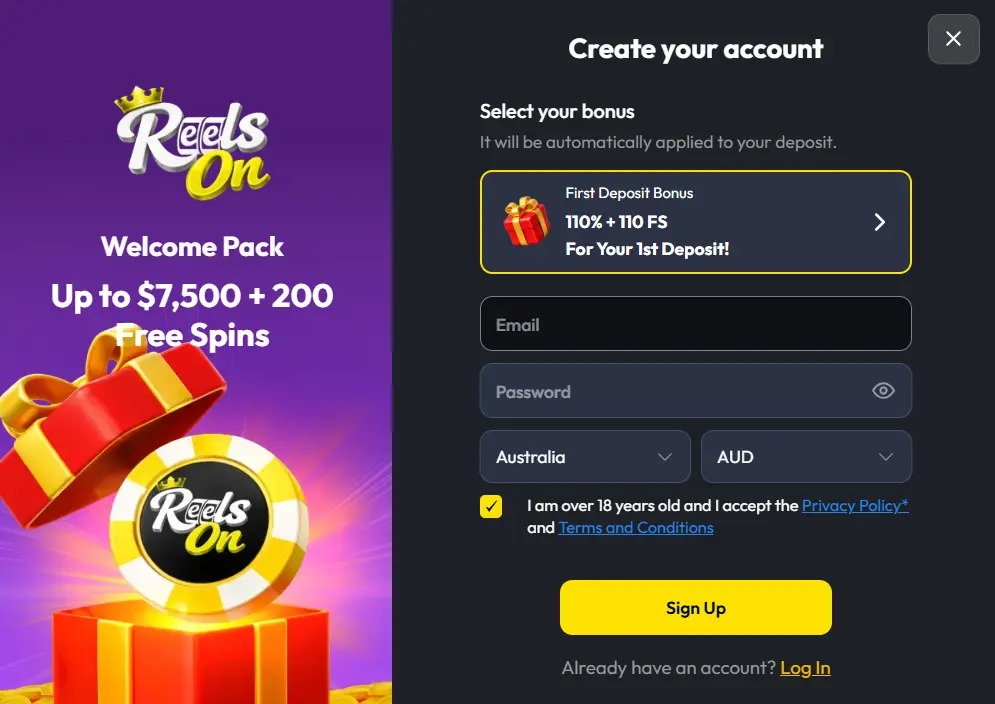
- Get started: Find and click the Sign Up button. It sits in the top-left corner of your desktop and at the bottom of your phone.
- Fill in the first form: Enter your email and create a strong password that you can remember. Confirm the country is autofilled as Australia, your currency is AUD and the yellow box is ticked for age confirmation before clicking the Sign Up button.
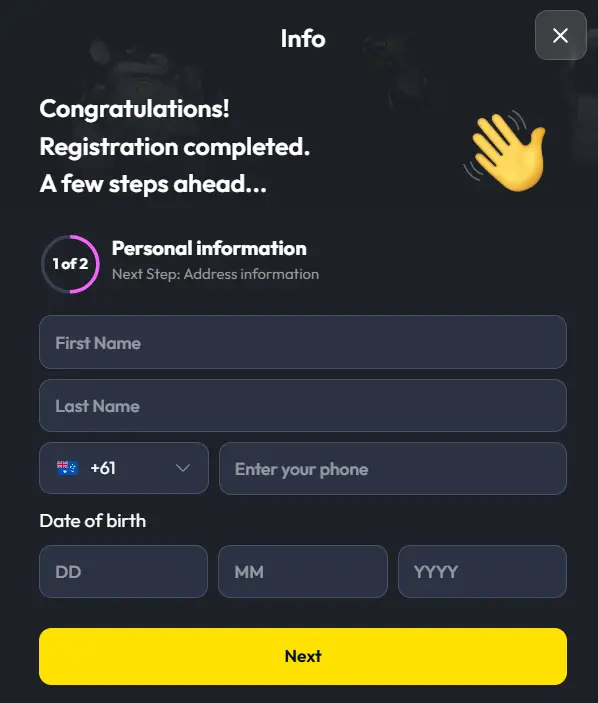
- Enter personal information: Type your name, phone number and date of birth, then click Next.
- Fill the last part of the form: Share your gender, state, city, address and postal code.
- Email and phone verification: To finish the ReelsOn registration, just click the activation link in your email to verify and activate your profile. Complete an SMS verification by entering the code sent to you when you click the Verify Phone button.
Required Documents for Australian Players
As a regulatory requirement, the website has to conduct a Know Your Customer (KYC) check. This is a safety protocol where the casino confirms you are who you say you are. All you have to do is make sure your data matches. If not, you might lose your rights to ReelsOn login. Here is what you need:
- Identity proof: Passport or ID card.
- Payment: Photo of your debit card, screenshot of your online bank or a statement.
- Address: Utility bill, phone bill, bank statement (dated within the last 90 days).
Getting Verified for ReelsOn Casino Login
Account verification is important because it keeps your account safe, prevents fraud and helps the casino comply with regulations. Aussies can expect a processing time of 24–72 hours, though it took only 20 hours for the team to verify mine.
- Sign in: Complete the Reels On Casino login step and go to your profile section.
- Pull up the upload portal: Click the Verification tab. You will see the file formats to upload, including PDF, PNG and JPEG. They should not exceed 10MB.
- Prepare the documents: Take photos for identity proof, payment and address documents.
- Upload: Click the upload button in the respective boxes to submit your documents.
- Wait for verification: Your account status will change from Not Verified to Verified next to your email address in your profile.
Sign In to Your Account
You can access your account by entering your casino ReelsOn login. Here’s how:
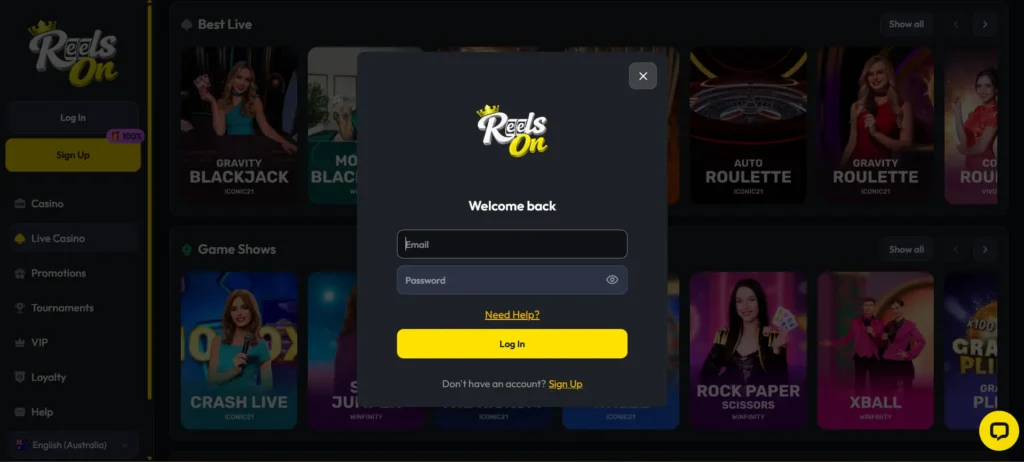
- Open the form: For desktop access, click the Log In button at the top. You will get a field to enter your credentials.
- Enter your credentials: The fields are labelled. You won’t have a problem knowing where to enter what. Put your email in the first field, then your password in the one that follows.
- Authentication: I hope you have already enabled two-factor authentication on your dashboard. Enter the code generated by Google Authenticator or the verification code sent via SMS or email, depending on the method you use.
- Submit: Click the ReelsOn sign in button and you are in.
| Login Method | Advantage |
|---|---|
| Username and password | The most common login method is where users enter a unique name, usually an email and a password. |
| Phone number | If you cannot remember your email, you can log back in with the help of customer support. Provide your phone number for confirmation. You will get a one-time code to sign back in. |
Login via Mobile App
The ReelsOn Casino sign in via mobile is optimised, allowing users to access their account securely and in under 10 seconds. You can complete the process via an encrypted connection on your PWA or mobile browser. You can use the Remember Me feature to log in with a single tap instead of entering your credentials every time.
- Tap the Log In button: It is at the bottom of your screen, whether using an Android or an iOS.
- Enter your credentials: Type your email and password.
- Remember: Tick the Remember Me box to save your data.
- Submit: Tap Log In to enter your account.
Reels On Login Data Protection and Security
The casino uses features like SSL to protect your data during registration and Reels On sign in. Here are features that ensure your security:
- Encrypted connection: The site uses 256-bit SSL encryption and TLS 1.3 to secure data between your device and the casino’s secure server.
- 2-Factor Authentication: The platform requires users to enter a secondary login code to gain access to their accounts.
- APPs and GDPR compliance: The casino implements strict European and Australian privacy policies.
Troubleshoot Login Issues
Below are possible Reels On Casino sign in issues and their solutions:
- Incorrect login credentials: Check the spelling of your email and password. If using a cached password after changing it, repeat the login process with the new one.
- Forgotten password: Don’t rack your brain trying to remember. Use the password reset link to create a new combination.
- Suspended account: Do you remember violating a term? Maybe you didn’t verify your account or you have multiple accounts. The casino will send an explanation as to why your account is suspended. Contact customer support to resolve the issue.
Recovering Forgotten Password or Email
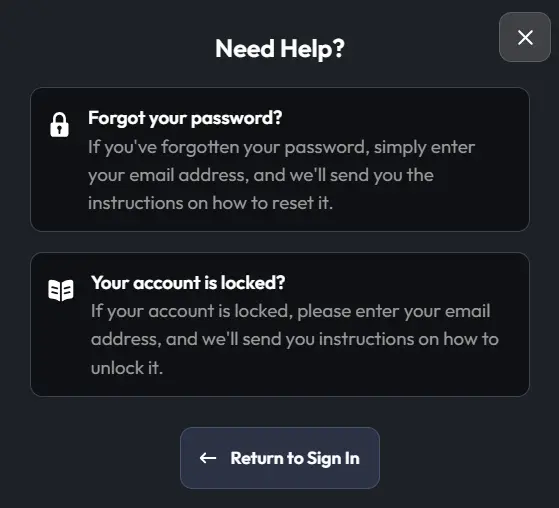
If you have lost access to your account, you can recover your details. On the casino ReelsOn sign in page, click “Need Help?” Enter your email for a password reset and click the button. You will get a letter with a reset link. Create your new password. If you cannot remember your email, reach out to customer support. They will ask a few questions to help you recover your account.
How to Delete Your Account
There are two options for deleting your account, depending on whether you want to take a short break or close it permanently. Check out this instruction:
- Sign in and withdraw your money: Cash out your money because you cannot access it after deleting your account.
- Pick between cooling off or self-exclusion: A cooling-off period can last between 7 days and 6 months. Self-exclusion can be between 6 months and indefinitely.
- Contact support: Send a message with your decision, that is, a cooling-off, self-exclusion or permanent closure.
- Provide clarification: Answer questions and show verification documents if necessary.
- Wait: The agent will complete your request within 24 hours. Your ReelsOn log in credentials will become invalid.